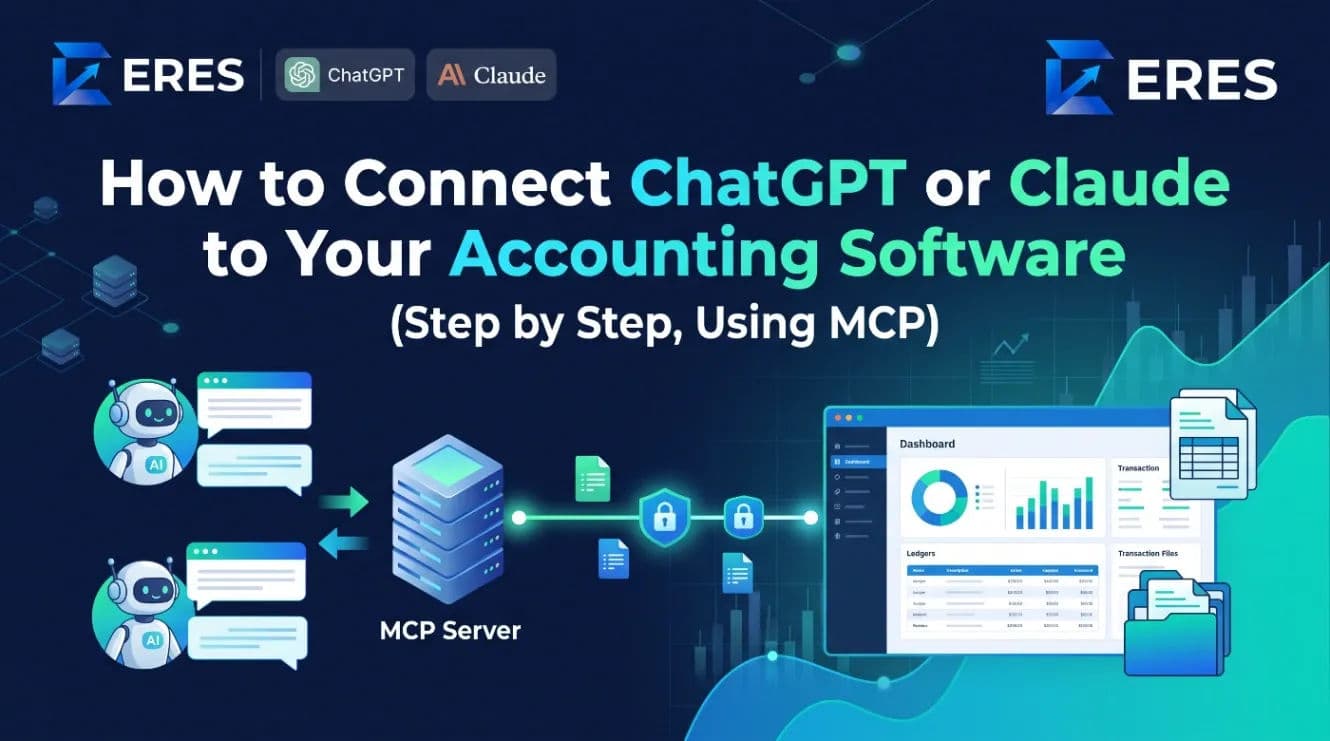
What Is a Headless ERP? MCP, AI Agents and Why Your Next ERP Might Not Have a Screen
A headless ERP exposes its accounting, inventory and operations as tools an AI agent can call — over the Model Context Protocol (MCP), bound to your login and permissions. Here is what that means, how OAuth keeps it safe, what read and write tools look like, and the prompts people actually use.
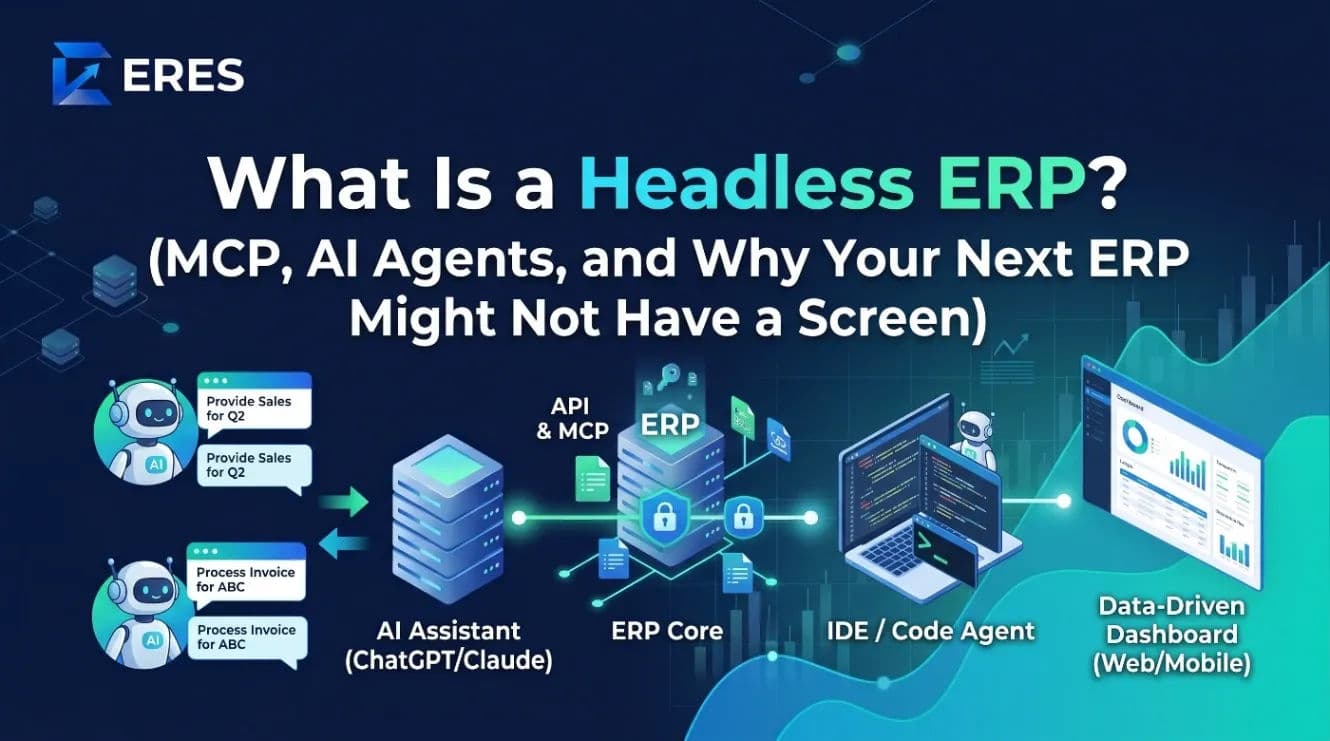
A headless ERP is an ERP whose functions — posting a voucher, checking stock, running a report, raising a purchase order — are available as callable tools, not just as screens. The most practical way to expose them today is a Model Context Protocol (MCP) server, which lets AI assistants such as ChatGPT, Claude and Cursor use the ERP on your behalf, under your own login and permissions.
"Headless" does not mean the screens disappear. It means the screens stop being the only way in. This article explains what MCP is in plain language, how a headless ERP keeps data safe, the difference between read and write tools, and what day-to-day use looks like.
Why "headless"?
The term comes from headless commerce and headless CMS: the data and business logic are separated from the presentation layer so any front end can drive them. Applied to an ERP, the "head" is the web app with its menus and forms. A headless ERP keeps the logic — double-entry rules, stock allocation, approvals, audit trail — in one place and lets other clients reach it:
- the normal web and mobile app;
- an AI assistant in a chat window;
- a developer's IDE agent;
- automations and scheduled jobs.
The point is that an AI agent is not a bolt-on reading exported CSVs. It operates the same system, through the same rules, as a human user.
What MCP is, in one paragraph
The Model Context Protocol is an open standard that describes how an AI client (ChatGPT, Claude, Cursor and many others) discovers and calls tools offered by a server. A tool has a name, a description, an input schema and an output. The AI reads the descriptions, decides which tool answers the user's request, fills in the inputs, calls it, and uses the result to answer. An MCP server for an ERP might offer tools like get_company_overview, list_overdue_invoices, create_expense or run_trial_balance. The protocol handles discovery, authentication hand-off and the request format so every client works the same way.
How a headless ERP stays safe: OAuth and permissions
The first question every finance lead asks is "so the AI can see everything?" It should not, and in a well-built system it cannot. The mechanics:
- Connection by OAuth. You add the ERP's MCP server to your AI client. The client sends you to the ERP's login page, you sign in as yourself, and the ERP issues a token tied to your user account.
- Your role, not a super-user. Every tool call runs with your permissions. If you cannot see payroll in the app, the assistant cannot read payroll either. If vouchers in your company need approval, an expense the assistant posts still waits for approval.
- Tenant isolation. The token is scoped to one organization. There is no cross-company tool.
- Audit trail. Actions the assistant takes are logged against your user, the same as clicks in the app.
- Revocation. Disconnecting the client, changing your password or an administrator deactivating your account invalidates the token.
Compare this with the older pattern of exporting a spreadsheet and uploading it to a chatbot: no permissions, no audit trail, stale within an hour, and a copy of your ledger sitting in a third-party upload folder.
Read tools versus write tools
A sensible headless ERP separates the two, and most teams start with reads only.
| Read tools (safe to try first) | Write tools (need approval policies) |
|---|---|
| Company overview: cash, receivables, payables, sales this month | Record an expense or a petty-cash voucher |
| Party ledger and statement for a customer or supplier | Create a journal entry (subject to approval settings) |
| Stock on hand, low stock, items below reorder level | Raise a purchase order for shortfalls |
| Overdue invoices and ageing buckets | Send a payment reminder on WhatsApp or email |
| Trial balance, income statement, balance sheet for a period | Create a work order from a recipe |
| Employee headcount, attendance and payroll summaries | Approve a pending document (if you are an approver) |
Write tools should respect the same controls as the app: approval switches, locked periods, negative-stock rules, numbering sequences. If the ERP would stop a human from posting into a closed month, it must stop the assistant too. The implementation detail that matters is that the MCP server calls the same internal functions the web forms call, rather than writing to the database directly.
What people actually ask
Prompts from real use fall into a few patterns:
- Daily brief: "How did we do this month? Compare with last month and flag anything unusual."
- Collections: "Which customers are more than 45 days overdue, and what is the total? Draft a polite reminder for the top three."
- Stock: "Which raw materials will run out before the end of next week at the current consumption rate?"
- Bookkeeping: "Record a USD 120 fuel expense for the delivery van, paid from petty cash, today."
- Analysis: "Show me gross margin by product category for the quarter and tell me which category fell."
- Close: "List journal entries posted after the 5th that affect last month."
- Manufacturing: "What did batch WO-26-0142 cost per kg, and how does that compare with the previous three batches of the same recipe?"
None of these require the user to know which report to open or which filter to set. The assistant maps the question to tools, calls them, and explains the answer. For a business owner who checks the books twice a week, that is the difference between using the ERP and ignoring it.
Where headless pays off first
Three roles see the benefit almost immediately:
- The owner or managing director, who wants answers rather than reports. "How much cash will we have at month end if the top five customers pay on time?" is a conversation, not a menu path.
- The accountant at close, who spends hours pulling the same checks every month: late postings, unbalanced vouchers, unreconciled bank lines, suspense balances. Each is one prompt, and the sequence can be saved.
- The plant manager, who cares about batch cost, yield and material shortages but rarely opens the finance system. Asking "what is short for Thursday's batches" from a phone is the first time production data becomes self-service.
Developers come later, building scheduled agents on the same tools — a morning cash brief, an exception list before close, an alert when a batch's cost per unit drifts from the previous five. Because the tools are permissioned and audited, those agents inherit the controls instead of needing their own.
What a headless ERP is not
- Not an AI that "does your accounting". The model proposes; the ledger rules and your approvals decide. Treat it as a very fast junior who never gets tired of pulling reports.
- Not a replacement for the screens. Complex data entry, document design and configuration are still better in a form.
- Not a data export. The assistant sees live data through tools, not a snapshot.
- Not zero-risk. Language models can misread a request. That is why write tools go through the same approval policies, and why the first weeks should be reads only.
Questions to ask an ERP vendor
- Is the MCP server in production, or a roadmap item?
- Does it authenticate with OAuth per user, or with one shared API key?
- Do tool calls run under the user's role and permissions, including approval settings?
- Which tools are read and which are write? Can an administrator disable write tools for some roles?
- Are assistant actions in the audit log?
- Which clients are supported — ChatGPT, Claude, Cursor, custom agents?
- Does conversation context carry across tool calls (so "that customer" means the one just discussed)?
ERES answers these in the open: its MCP server is live, uses OAuth bound to the user's own role, exposes both read and write tools that pass through the same approval rules as the web app, and works with ChatGPT, Claude and Cursor. The feature overview lists the modules the tools cover.
Frequently asked questions
Do I need a developer to use a headless ERP with ChatGPT or Claude?
No. Adding an MCP server to a supported client is a settings step: paste the server address, sign in when prompted, and start asking questions. Developers can go further and build custom agents on the same tools.
Is my data used to train the AI model?
That depends on the AI client's data policy and your plan with that provider, not on the ERP. Business and enterprise tiers of the major assistants typically exclude customer data from training; check the terms of the client you connect.
Can the assistant post a transaction without anyone seeing it?
Only if your company allows unapproved postings for your role in the app as well. A headless ERP that is built correctly applies identical controls to both paths.
What is the difference between an API and an MCP server?
An API is for developers who write code against documented endpoints. An MCP server packages those capabilities as self-describing tools that an AI client can discover and call on a user's behalf, with authentication handled by the protocol.
See what your assistant can do with live books: read about the ERES MCP server, or create a free account and connect it to ChatGPT or Claude in a few minutes.
Run your books on ERES
Accounting, inventory, POS, manufacturing, payroll and tax in one system — and an MCP server so your AI agent can use it too.