The ERES MCP ServerThe headless cloud ERP
Connect ERES to Claude, ChatGPT, Cursor — or any AI agent you already use — and work your books in plain language. Ask what the company is worth, post an expense, pull a ledger, send a statement on WhatsApp. Same data, same permissions, no screens.
Works with
An ERP you talk to, not one you navigate
Every other ERP in the market gives you screens. ERES gives you screens and a protocol — so the same accounting engine can be driven by a person clicking, or by an agent reasoning.
Not a chatbot bolted on
This is not an assistant that guesses inside your ERP. It is your ERP exposed as tools, with the same validation, the same hierarchy rules, and the same posting logic the dashboard uses.
Bring your own agent
You are not locked into our AI. Use Claude, use ChatGPT, use whatever comes next — MCP is an open protocol, so ERES keeps working as the model landscape changes.
Outperform the interface
One question can cross modules that would take a person six screens: ledger, inventory, payroll and tax, joined and answered in a sentence.
Connected in under a minute
No middleware, no data warehouse, no export. One URL and one consent screen.
Add the connector
Paste the ERES MCP URL into ChatGPT, Claude, Cursor, or any MCP-capable client. The client discovers ERES automatically and registers itself — there is nothing to build.
https://app.eres.cloud/api/mcp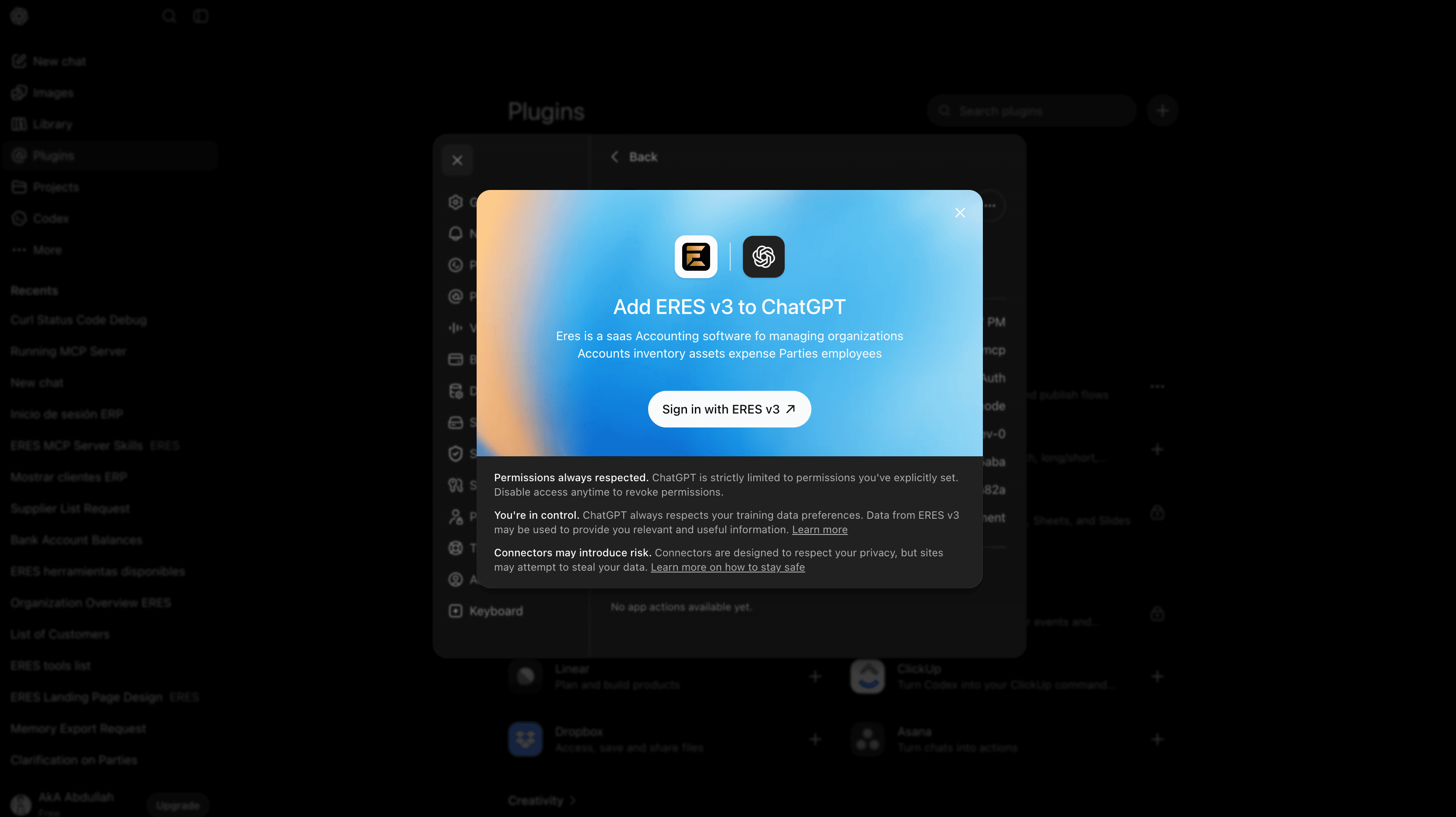
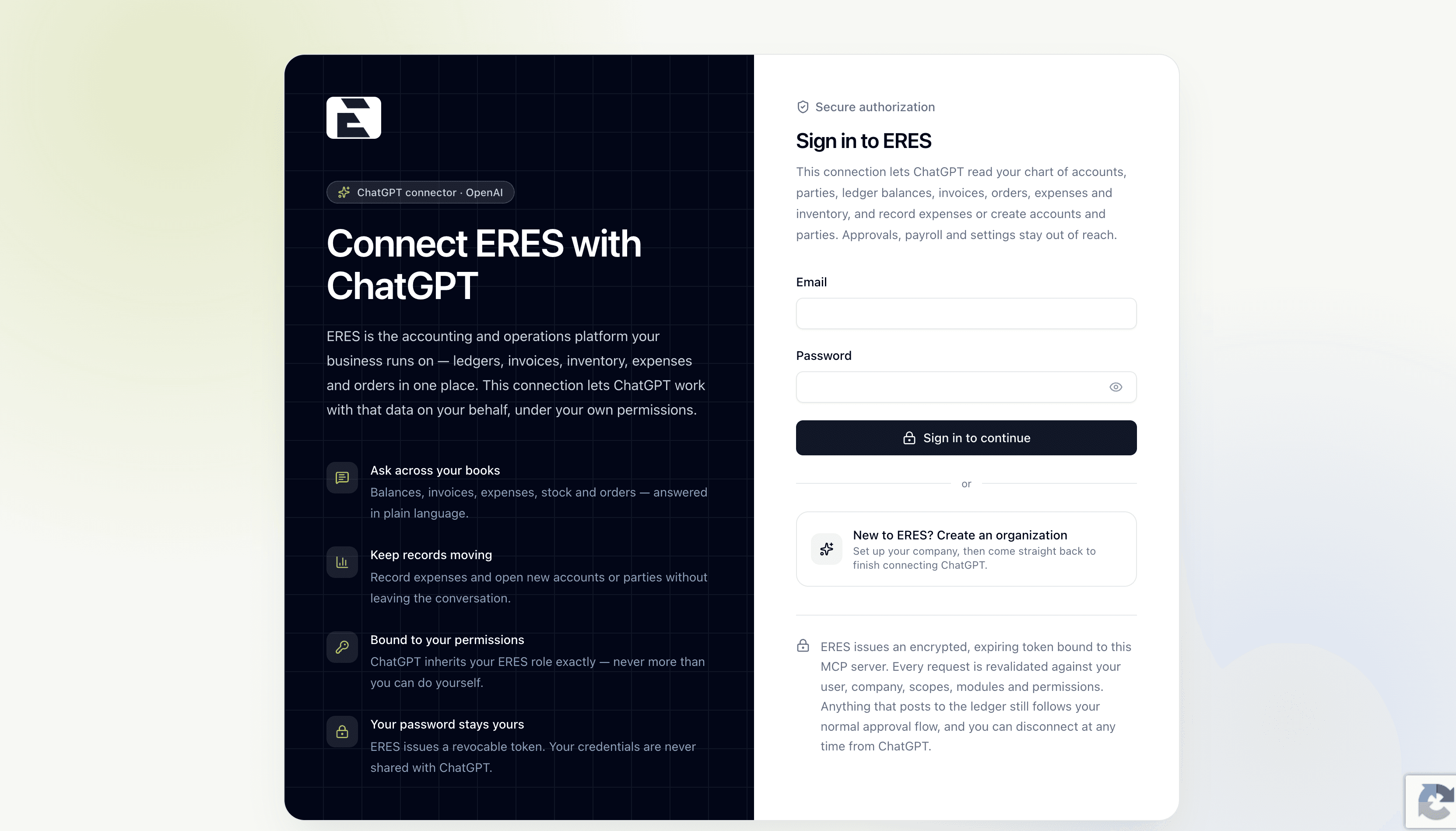
Sign in as yourself
You authenticate against ERES directly, in an ERES window. Your password never reaches the AI client — ERES issues it an encrypted token instead.
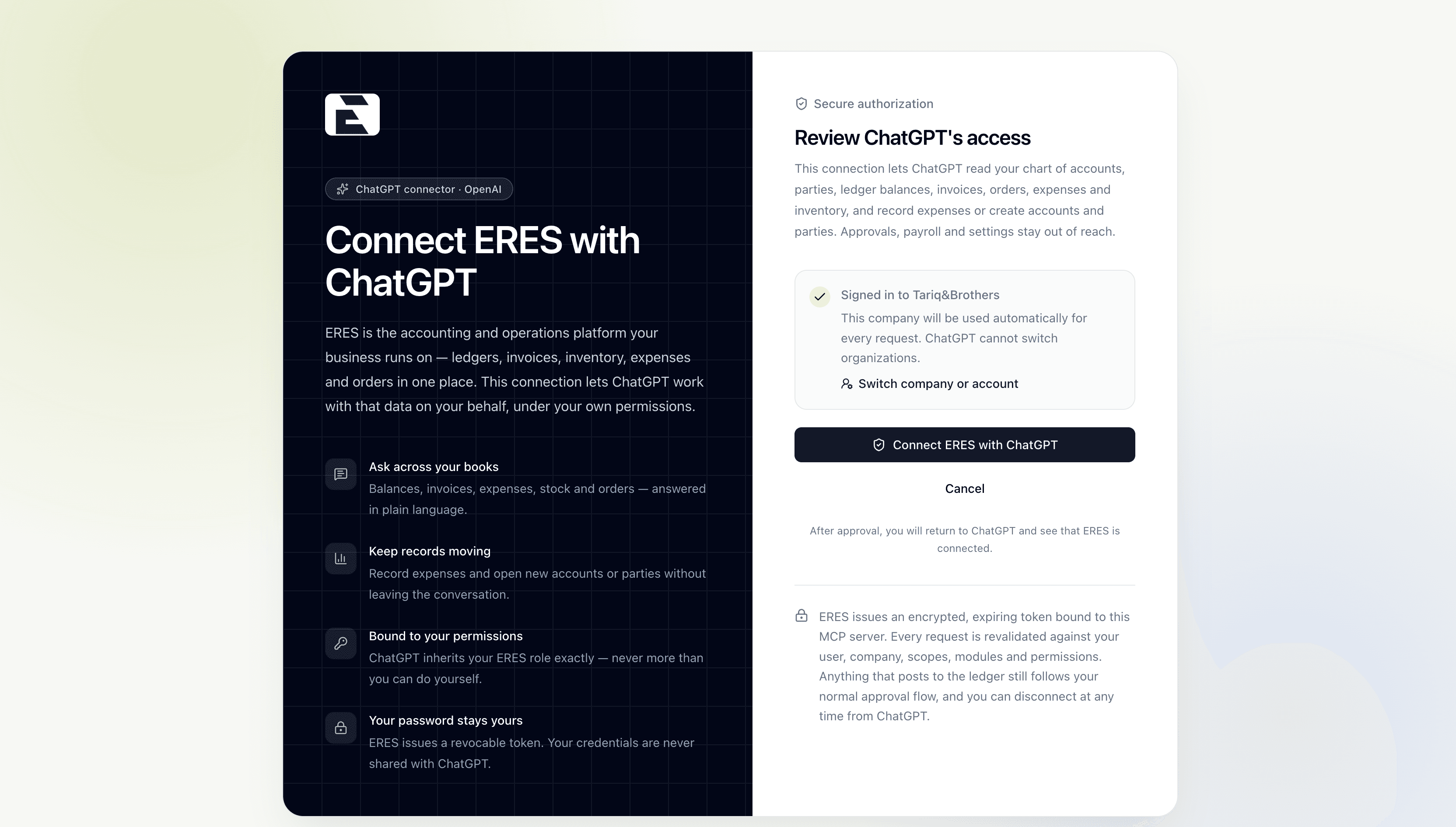
Approve the scope
One consent screen shows exactly what the agent may read and write. The connection is pinned to that organization — the agent cannot switch companies afterwards.
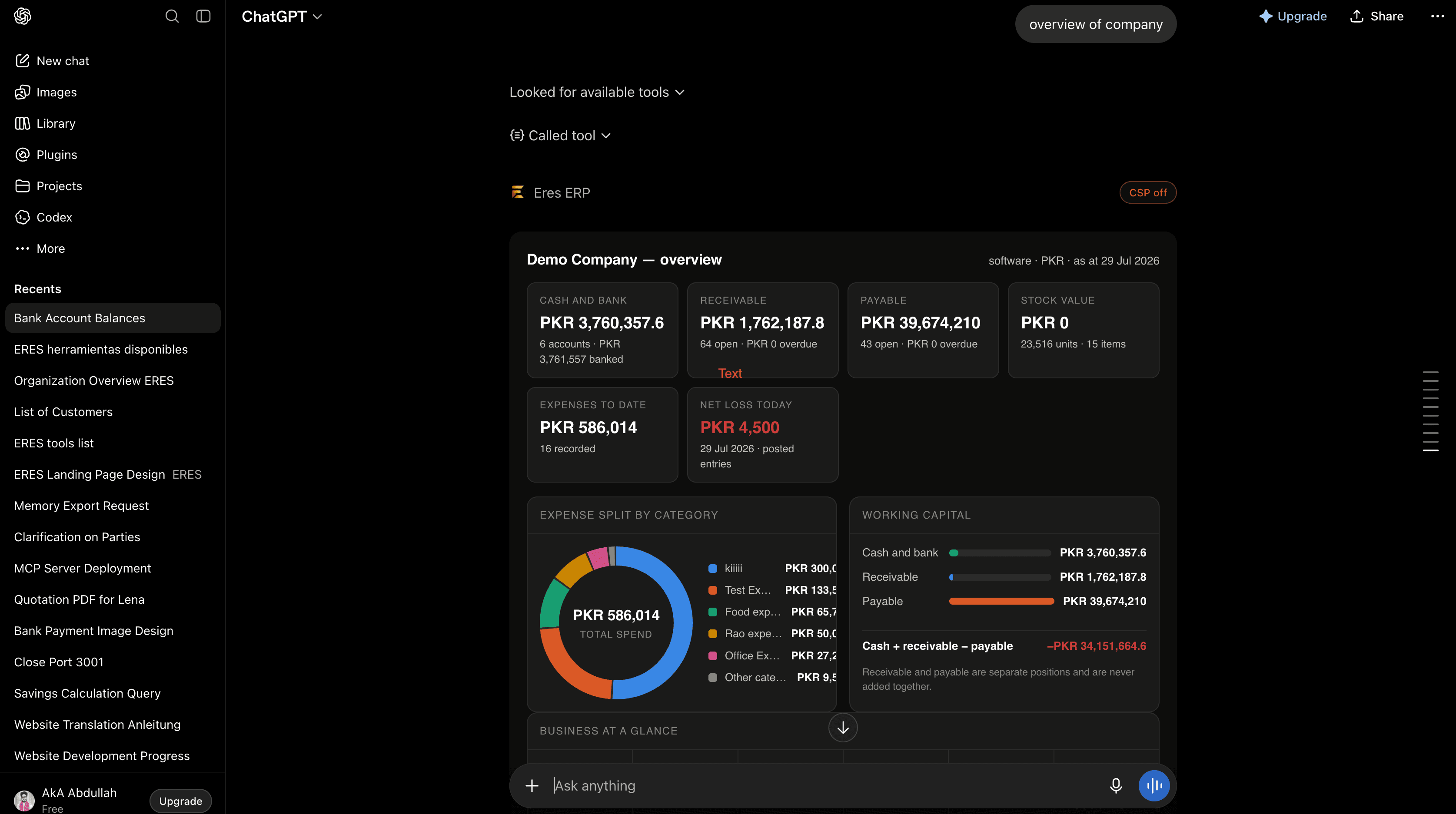
Real answers, rendered properly
ERES returns structured results your agent can display as tables, tiles and charts — not a paragraph of numbers it might mistype.
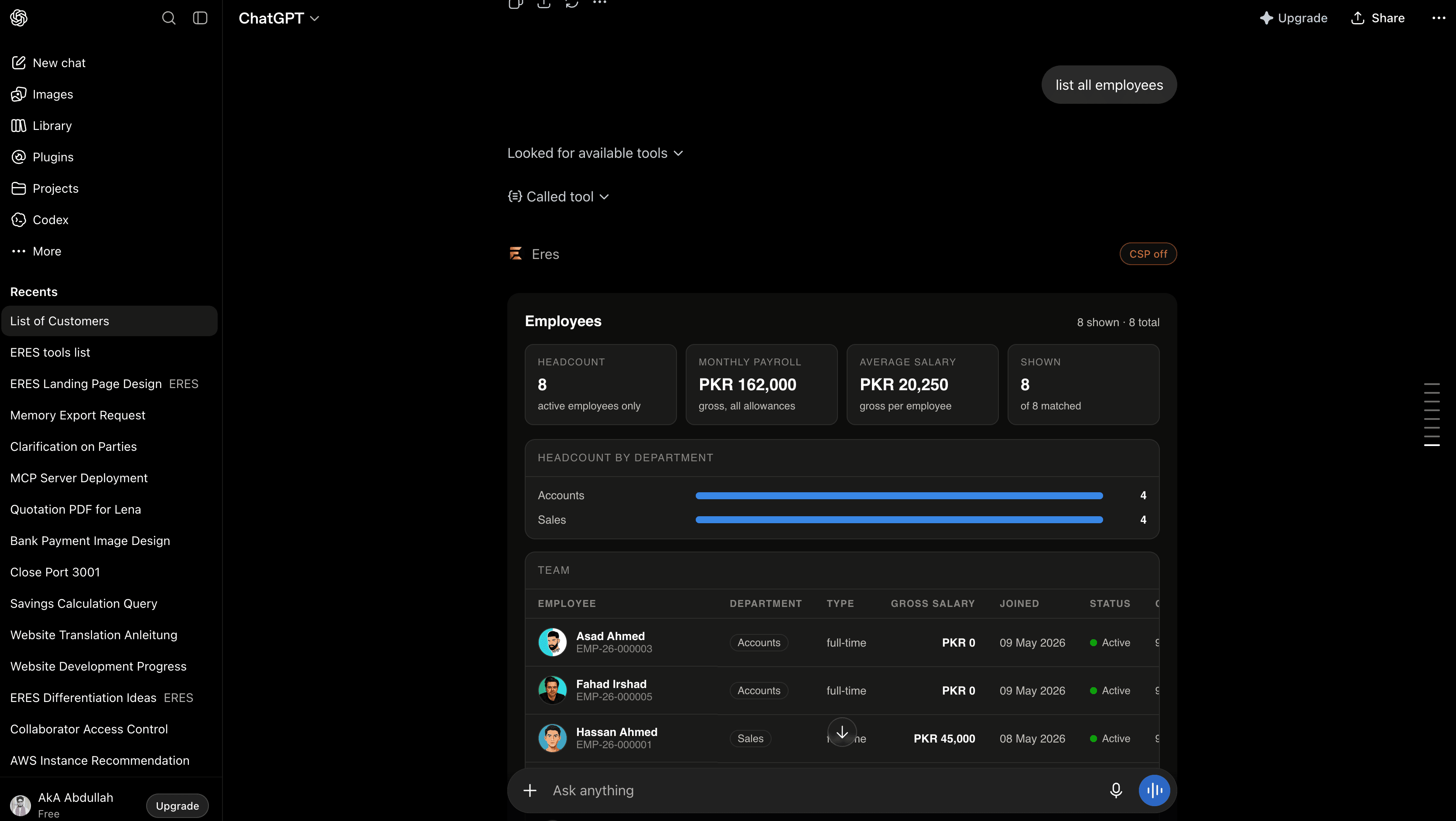
Everything the agent can reach
Grouped the way ERES itself is grouped. Read tools answer questions; write tools prepare work that still goes through your approvals — 34 tools in total.
Orientation
Where the agent starts: what this company is, what it can see, and how to find any record by name.
Accounts & parties
Open ledger accounts inside the five-level ERES hierarchy, and create the customers or suppliers you transact with.
Money & balances
Bank and cash positions, party ledgers and the trial balance, read from posted entries rather than a nightly copy.
Financial statements
The statements the dashboard renders, generated from the same posted ledger.
Vouchers
A voucher type carries its own linked account and side, so the agent sends one half of the entry and ERES generates the contra.
Expenses
Record spend against a category and post the payment leg — still subject to your approval flow.
Trade
Read and raise sales and purchase orders, and pull invoices with their payment status.
Inventory, assets & sites
Stock levels and movement per warehouse, fixed asset registers, and the sites everything is booked against.
People & payroll
Headcount, departments and the monthly pay run — only for what your ERES role can already see.
Send a message, ledger or statement to a party and have the delivery logged in ERES history.
Data import
Hand the agent a spreadsheet and let it validate, map and load your opening data into ERES.
Giving an agent access should not mean giving up control
The connector was built permissions-first. Everything below is enforced on the server, on every request — not in the prompt.
OAuth 2.1 with PKCE
Authorization-code flow with proof key exchange. Access tokens expire in one hour; refresh tokens rotate on every use and expire in thirty days.
Your password stays yours
The AI client never sees your credentials. It holds an encrypted, revocable token — disconnect from either side and it dies immediately.
Never more than you can do
Every single request is revalidated against your user, company, scopes, assigned modules and write permissions. The agent inherits your role exactly.
Pinned to one organization
The connection is permanently scoped to the organization you authorized. Nothing keyed without a company id, and no crafted id can reach another tenant's data.
Approvals still apply
Anything that posts to the ledger enters your normal approval flow. An agent can prepare work; it cannot skip your controls.
The ERP stays the source of truth
Nothing is cached that was not read from ERES first, every entry has a TTL, and any successful write invalidates what it touched.
Fast because it is engineered, not because it guesses
The MCP layer never touches the database directly. It calls authenticated ERES endpoints, so every rule your accountants rely on is applied exactly once, in one place.
load context
→ resolve missing inputs from it
→ check cache
hit? return it
miss? call the ERP → store → update context
→ invalidate what the write touched
One pipeline, every tool
Load context → resolve missing inputs → check cache → call the ERP → store → invalidate what the write touched. No tool implements its own caching, so no tool can get it wrong.
Tuned time-to-live
Reference data caches for an hour, directories for ten minutes, operational registers for two, and anything derived from the ledger for thirty seconds. Writes are never cached.
Conversation memory
The subject of the conversation is carried between calls, so “find supplier Sodexo” → “show the ledger” → “create a payment voucher” names the supplier once. Your explicit argument always wins.
Skills, not guesswork
Bundled skills teach the agent how ERES actually works — voucher types, the account hierarchy, tax treatment — so it asks the right question instead of inventing an entry.